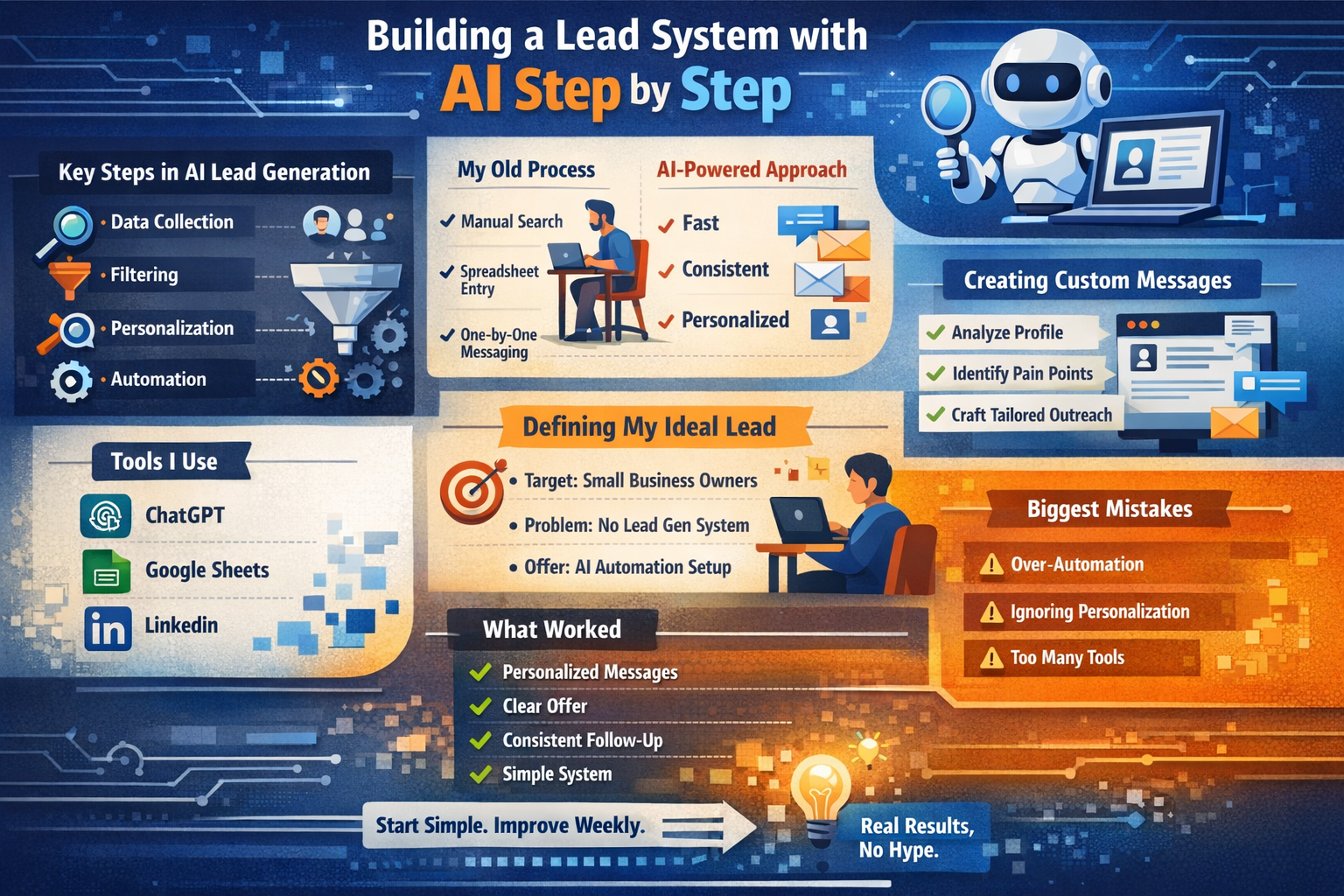
Building a Lead System with AI Step by Step
Problem first. Then came everything else. Not some plan. Just needing an answer.
Chasing shadows - that’s what finding leads used to feel like. Silence followed every cold message sent out into the void. Hours slipped away while digging through data by hand. Most tools? Flashy promises, empty results, just another dashboard gathering dust.
That’s when I started creating an AI-driven lead tool of my own, one that cuts down effort while delivering actual leads. One that works without endless hassle came together after a few tries.
This guide shows step by step what worked. Zero exaggeration. Real results only. A method you can shape and refine over time.
What “AI Lead Generation System” Actually Means
Start by sorting out what’s messy. Begin at the beginning, but sideways.
A single gadget won’t cut it when pulling in leads with artificial intelligence. What actually works? A full sequence of steps moving together.
It combines:
Data collection (finding potential leads)
Filtering (removing junk leads)
Personalization (making outreach relevant)
Automation (saving your time)
Step by step, it assists. Still, the thinking stays yours.
Finding its place beside you, AI works like a helper rather than stepping into your role.
Using AI to Find Customers
Before AI, my process looked like this:
Search manually on LinkedIn
Copy details into spreadsheets
Write messages one by one
Follow up randomly
Slow, yet it did what was needed.
Faster decisions now shape how tasks unfold. Machines learn patterns once only humans spotted. Outcomes shift without needing constant oversight
1. Speed
Machines now finish long tasks fast. What took people many hours happens quickly today.
2. Consistency
Later never comes. Machines just act without delay.
3. Personalization at Scale
What stands out now? Blanket statements fail every time. Most things get ignored unless they feel real.
Back in 2024, HubSpot pointed out that messages tailored to individuals get more replies than one-size-fits-all ones. While broad emails often go unnoticed, personal touches tend to stand out simply because they feel less like spam.
Source: https://www.hubspot.com
Defining My Ideal Lead
What I considered before starting
Who is my target?
Who struggles with what issue?
Who even notices one person anymore?
For my case:
Target: Small business owners / creators
Problem: No lead generation system
Offer: AI automation setup
Skipping this part means machines speed up your mistakes instead.
Finding Leads With AI Tools
Still, after trying several tools, simplicity stayed my focus.
What I Used:
Searching LinkedIn by hand while adjusting settings step by step
Google search operators
AI tools like ChatGPT for research structuring
Simple English Headline Without Fluff
“Find target audience types who need lead generation automation in 2026.”
AI gave me structured segments like:
Coaches
Agency owners
SaaS founders
Because of that, hours slipped away without needing extra effort.
When pulling data, my approach wasn’t about grabbing whatever tool came first. Instead, a specific set was chosen carefully
Public profiles
Websites
Verified directories
Truth wins every time. This way keeps people coming back.
Step 3 Filtering Leads
Some leads just aren’t worth chasing after. Worth depends on where attention lands, not how fast it moves. Time bends around what matters most - clarity shows who stays, who fades.
Simple filters made
Active online presence
Clear business model
Signs of needing help (poor funnel, weak content, etc.)
Fine details got clearer because something smart stepped in.
I used prompts like: “Based on this profile, does this person need lead generation help?”
True, it has flaws - yet still cuts through hesitation fast. Still moves things quicker than before though rough around edges.
Creating Custom Messages Using AI
Most folks get it wrong right here.
They generate messages like: “Hey sir, I can help you grow your business.”
Most people overlook it right away.
Yet, AI helped me study the situation closely.
My Workflow:
Paste profile or website info
Ask AI to identify problems
Generate message based on that
Example Prompt:
“Write a short outreach message based on this person’s business and possible lead generation gaps.”
Something about it seemed alive, not mechanical.
Automate outreach without seeming spammy
Mistakes with automation might damage how people see you. A wrong move could leave a lasting mark on your name.
That’s why I stayed clear of complete automation.
Semi automation instead
AI drafts messages
I review and send manually
Quality stays high because of this.
follow up with templates
Friendly reminder
Value-based follow-up
Case study mention
One thing leads to another - Salesforce says sticking with follow-ups makes deals more likely. Not giving up pays off when turning interest into results, they note. What happens? More conversions, just by staying in touch regularly.
Source: https://www.salesforce.com
Build a basic funnel without overthinking it
Leads need direction.
built a basic funnel
Outreach message
Conversation
Free value (audit or suggestion)
Offer
That’s it.
Just clean layouts. Besides, skip the tricky setups.
A machine figured it out for me. That's how I got what you see here now
Audit templates
Quick analysis reports
Suggestions for clients
Using AI to Nurture Leads
Some folks quit right after that initial touch.
That’s a mistake.
I Used Ai To
Generate helpful content ideas
Write follow-up insights
Suggest improvements for leads
This builds trust.
Trust wins where hard pitches fail.
Tools I Used Simple Setup
I didn’t use 20 tools.
This is what I actually use. Not a single extra thing
ChatGPT – Research, messaging, analysis
Google Sheets – Lead tracking
LinkedIn – Lead source
Email or direct messages - used for reaching out
That’s enough.
A free tool works just fine at first. Starting without cost removes pressure.
Mistakes I Made So You Dont Repeat Them
Truth hits hard - this fell flat right away.
1. Over-automation
Messages sent in large groups - fewer replies came back. Trying it again didn’t help much.
Quality Over Quantity
2. Ignoring Personalization
Messages without a personal touch made people lose interest.
Lesson: Context matters more than clever writing.
3. Tool Overload
Too many tools got tested by me.
Lesson: Systems beat tools.
What Actually Worked
What actually worked was this
Personalized messages
Clear offer
Consistent follow-up
Simple system
Fine. It takes work. Not magic. Just effort. Nothing slips through. Not here.
Just smart execution.
Build an AI Lead Generation System
Start simple:
Define your audience
Use AI for research
Collect leads manually
Personalize messages using AI
Track everything
Improve weekly
Perfection won’t show up on its own. Start before everything feels ready.
Start building. After that comes testing. Then make it better.
AI Replacing Human Work?
No.
It works well this way.
AI handles:
Speed
Structure
Repetition
You handle:
Strategy
Creativity
Trust
The combination works.
Final Thoughts
Creating a system that uses artificial intelligence to find leads isn’t focused on software. It centers on understanding needs, shaping responses, then guiding interactions where value comes through clarity. Tools simply follow along.
It’s about thinking clearly.
Logic shapes how well AI works for you. Without clear thinking, the tool loses its edge.
If you focus on:
Real problems
Real people
Real value
Tricks aren't something you'll have to rely on.
Something real takes shape under your hands. It runs. It does what it should.
FAQs
1. Can beginners build an AI lead generation system?
True. Begin using basic apps such as ChatGPT alongside Google Sheets.
2. Do I Need Coding Skills?
Wrong. A few apps skip coding entirely.
3. Results show up at different times for everyone. Some notice changes within days, others need weeks. It depends on what you’re doing differently. Your body might respond fast, maybe slow. Consistency matters most here. Time reveals outcomes step by step.
Progress shows up when you stick with it. Slow gains come through steady effort instead of quick wins.
4. Cost of AI Lead Generation?
Actually, no. Free or even cheap tools work just fine to begin with.